Math Elf · 2018
Math Elf
- Role
- Lead and sole designer, iOS
- Focus
- iOS, Education, Onboarding
- Outcomes
- Starting a session got easier for students, and better profiles and ratings helped the best tutors earn more.
Challenge
There were two separate experiences with Math Elf: the app for math tutors (iPad), and the app for students (iPhone and iPad). I was able to work on many projects within this project. Some were:
- Better onboarding for students
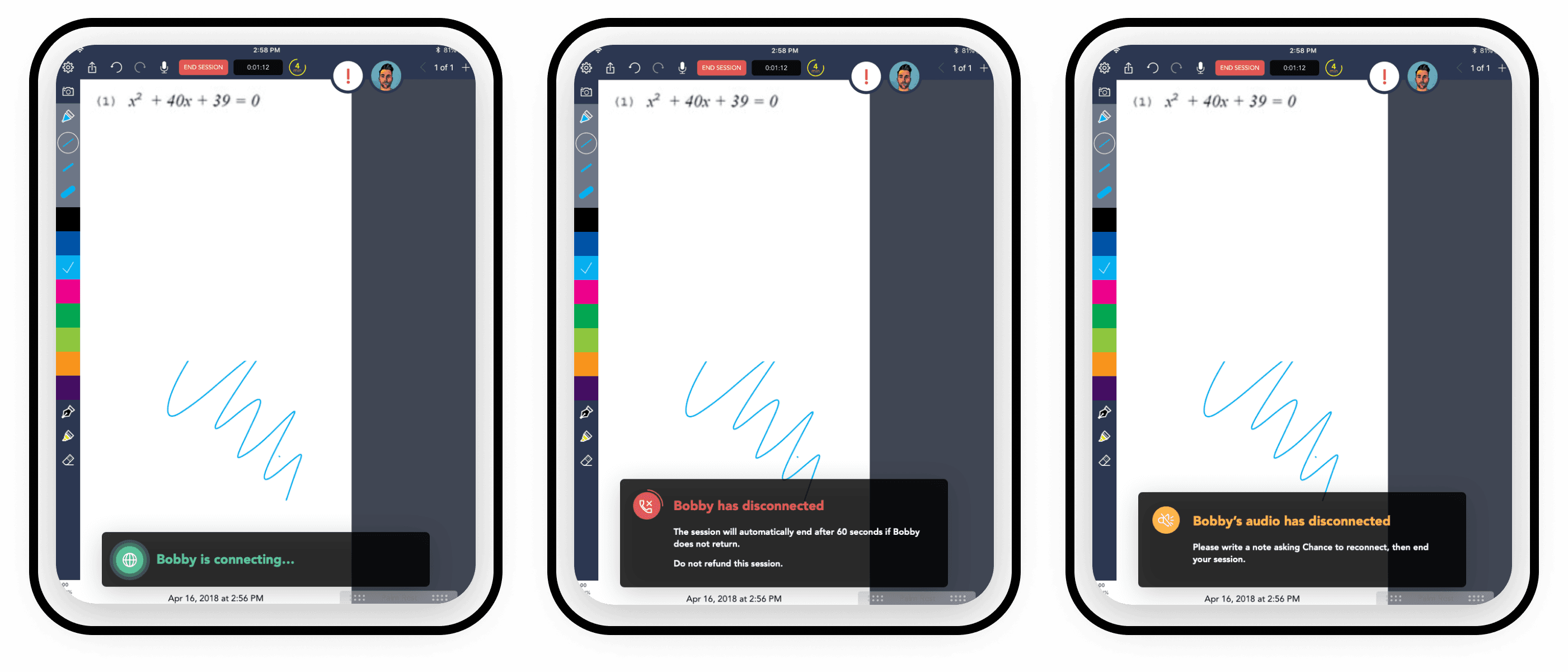
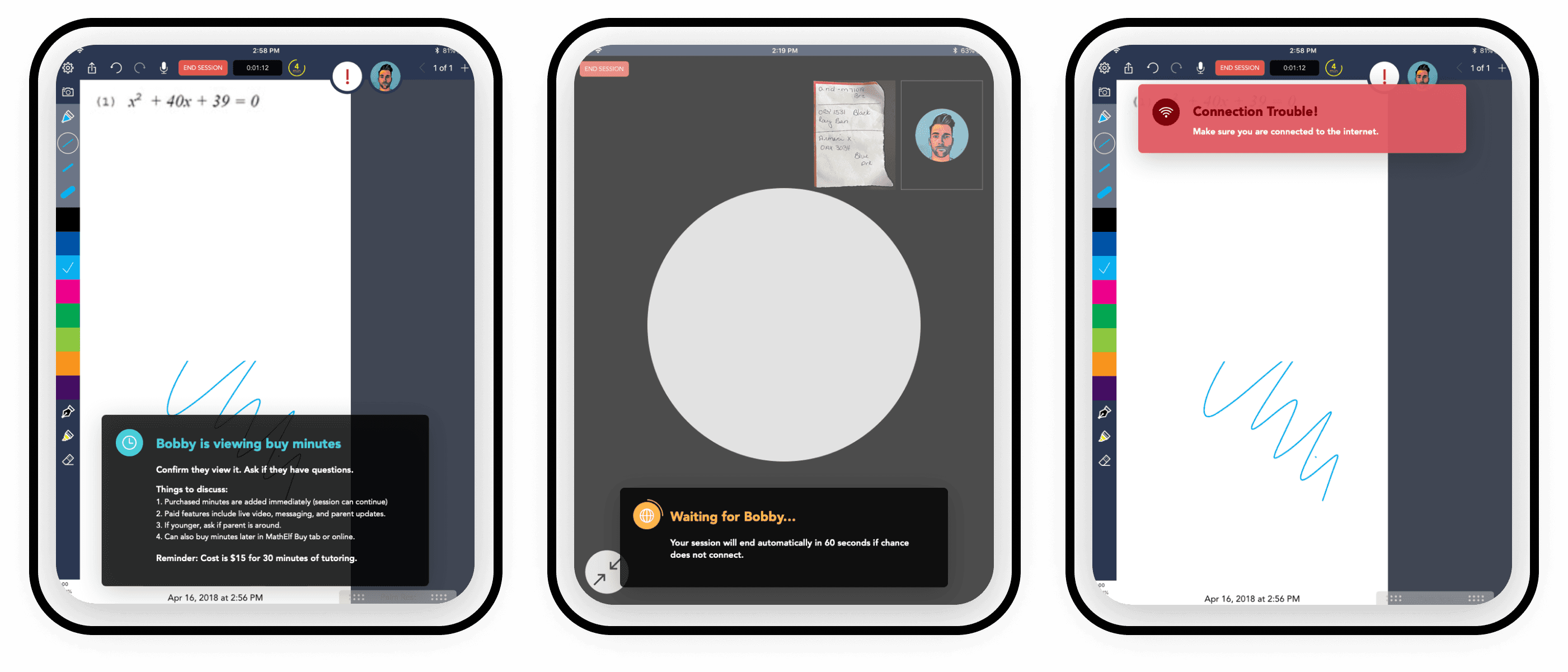
- Status updates for tutors
- Selection of tutors
- General visual update and micro-interactions
Goal
Increase retention of students and improve the ability of tutors to claim jobs. Conduct an overall audit and enhance the aesthetics of the entire experience.
Role
I was the lead and sole designer for the apps for the projects I worked on. Math Elf had been around and in use for years prior to my joining the team. I worked closely with a product manager, the head of product, a developer lead, and a small team of IC developers.
User flow
Experiences:
- Tutor - iPad - Walk students through their math problems.
- Student - iPod, iPhone, iPad - Be tutored, general screen sharing.
- Students Guardian - Find tutors, purchase.
Welcome to Math Elf

One animation to view without having to skip or swipe through to the next step.
Finished session
We were aiming to promote rating tutors to effectively highlight and encourage the best tutors to earn more money by having more sessions. We wanted a fun way for students to quickly leave feedback.
Tutor profile

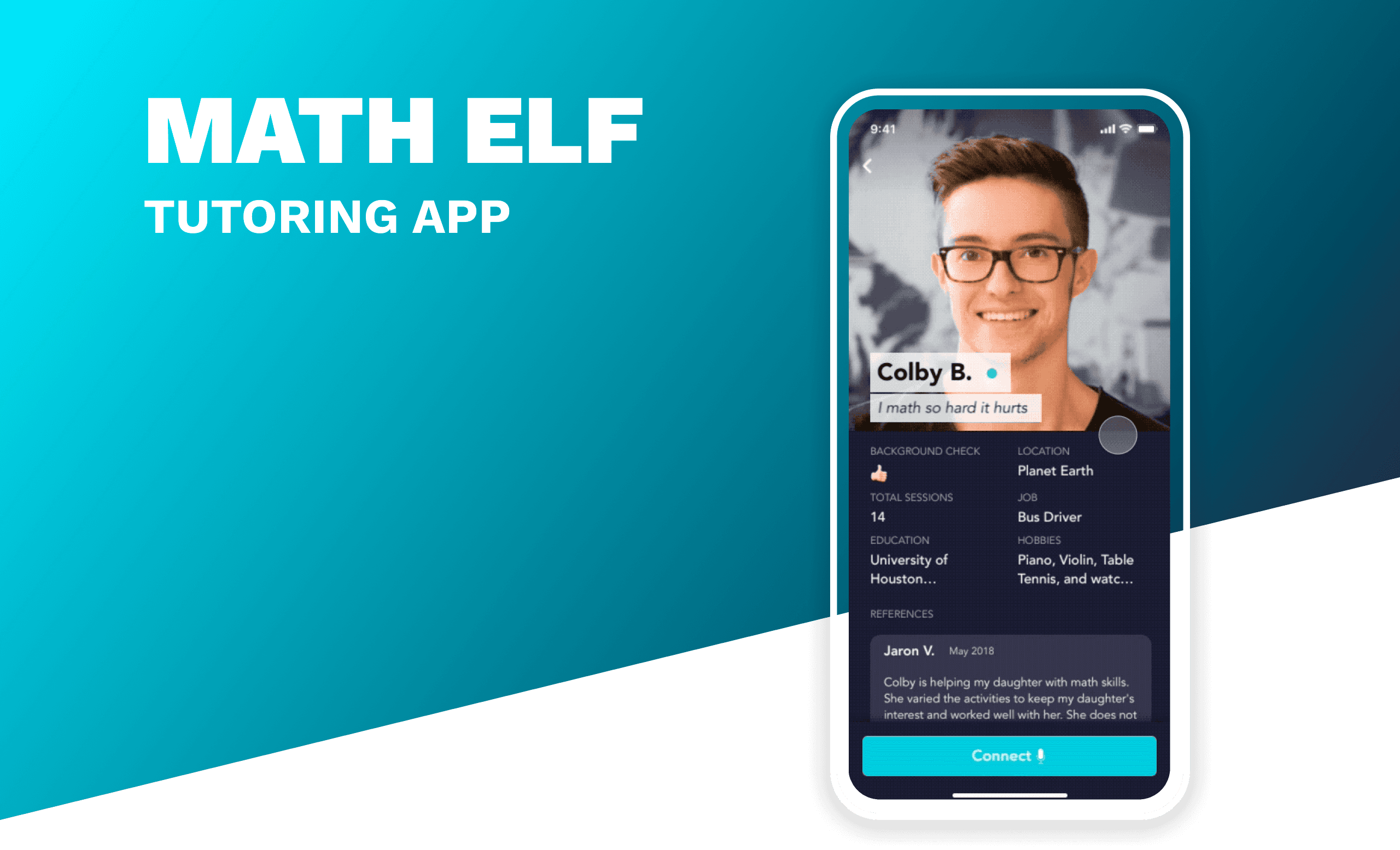
We needed to create improved profiles for parents to easily understand the tutors they would be employing for their children. These profiles should include reviews and additional information to provide some background.
Errors student
Priming
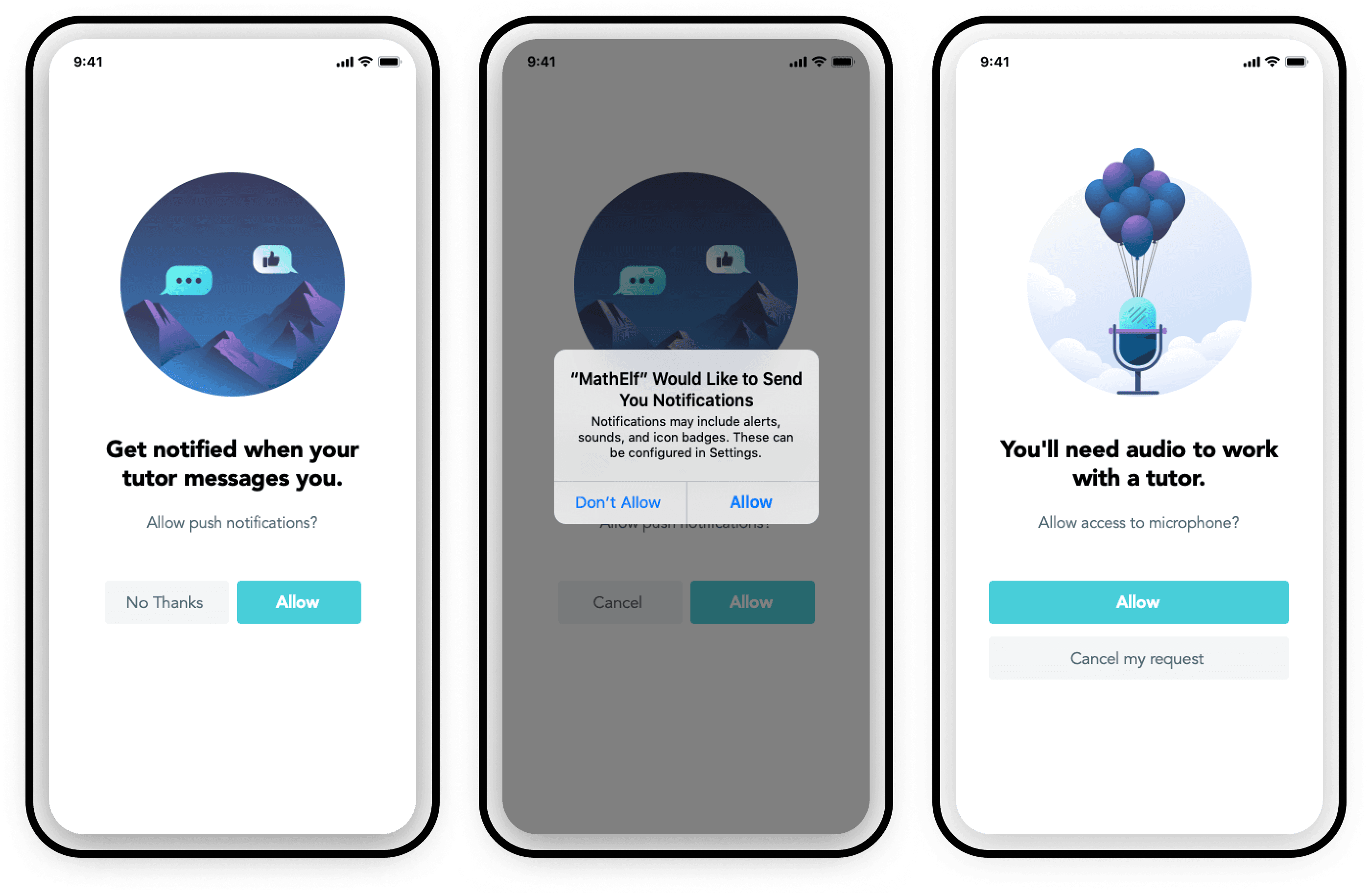
It was vital that we enabled push notifications. Previously, there was no explanation or any form of priming to prepare the user to click 'allow'. With this method, we could reintroduce the permission later if they tap 'cancel' in the app's UI versus the OS.
Errors tutor
More screenshots, flows, case studies, and information available upon request.