HireVue · 2015
Accelerate
- Role
- Lead designer, iPad and web
- Focus
- iPad, Web, Mobile, Sales
- Outcomes
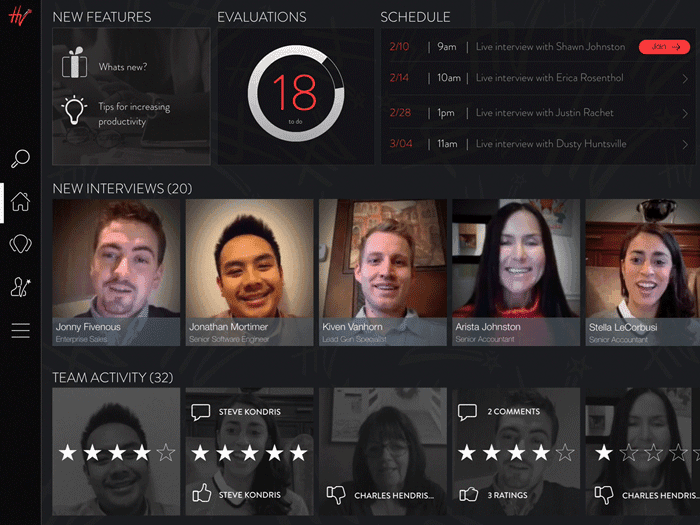
- Coaches got a dashboard of team progress, and reps got one clear place to take their feedback.

Challenge
After extensive user research, HireVue decided to leverage much of its existing technology to create a training/coaching application primarily aimed at sales teams. We needed to branch off and make more directed decisions for this specific user archetype. Consequently, we completely redesigned and built the iPad evaluator app.
Role
I was the lead designer, working closely with our team of developers. I led the process from wireframes (for iPad) and testing, all the way through to final development. I designed the interactions and visual styles, oversaw user testing, and prototyped certain micro-interactions and transitions.
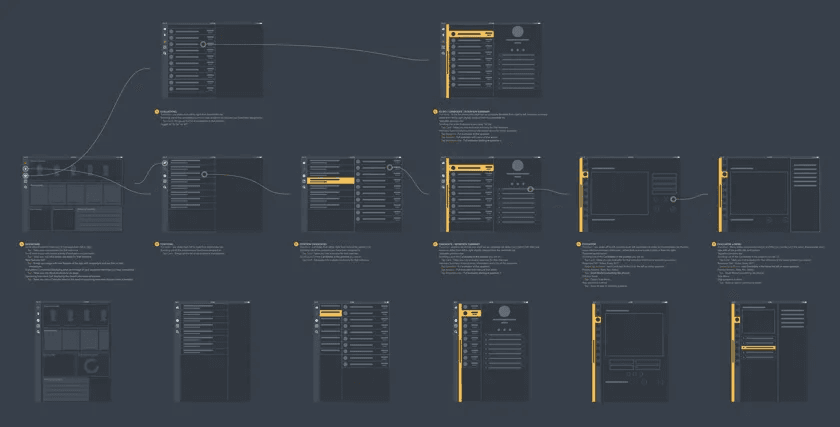
User flow
Coaching
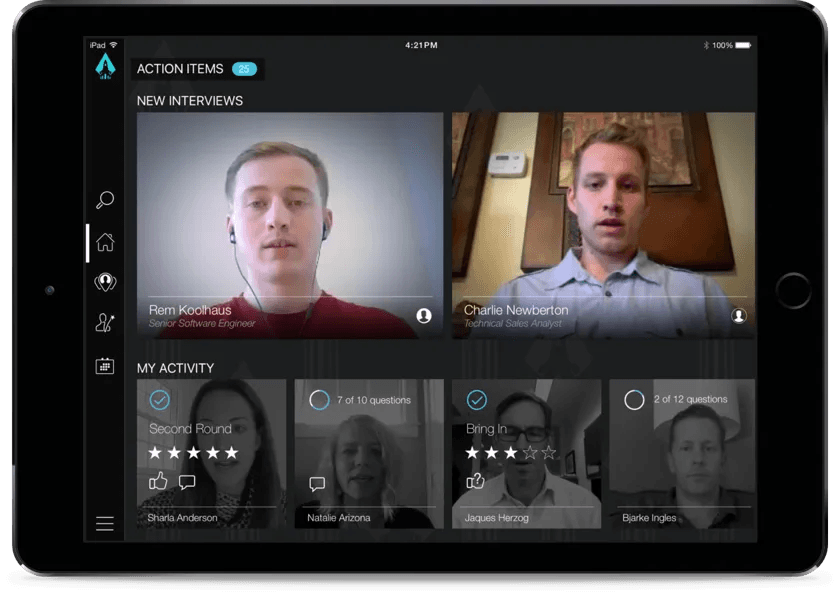
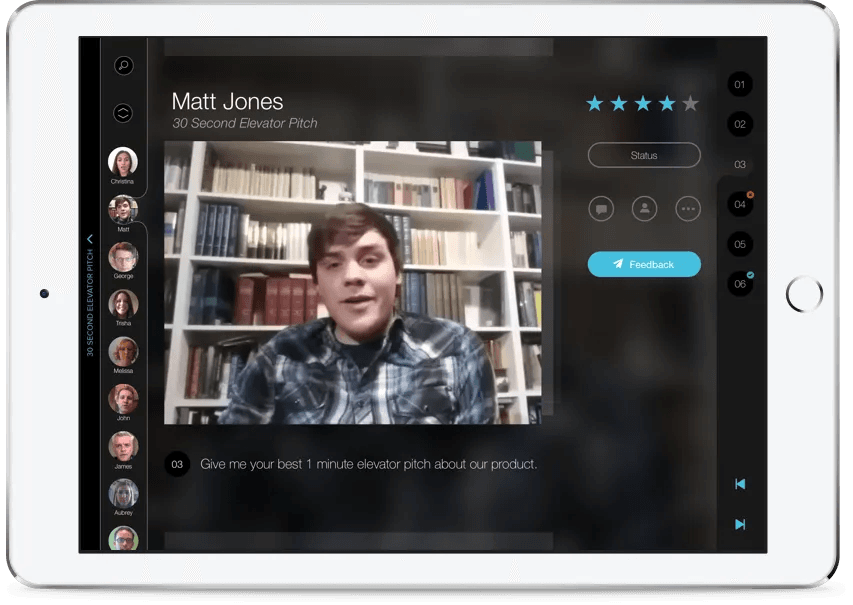
Having a dashboard to quickly see who has completed training for evaluation was vital. This was a major shift from what the company had previously established.
The need for a robust, global search function was of great importance.
Feedback
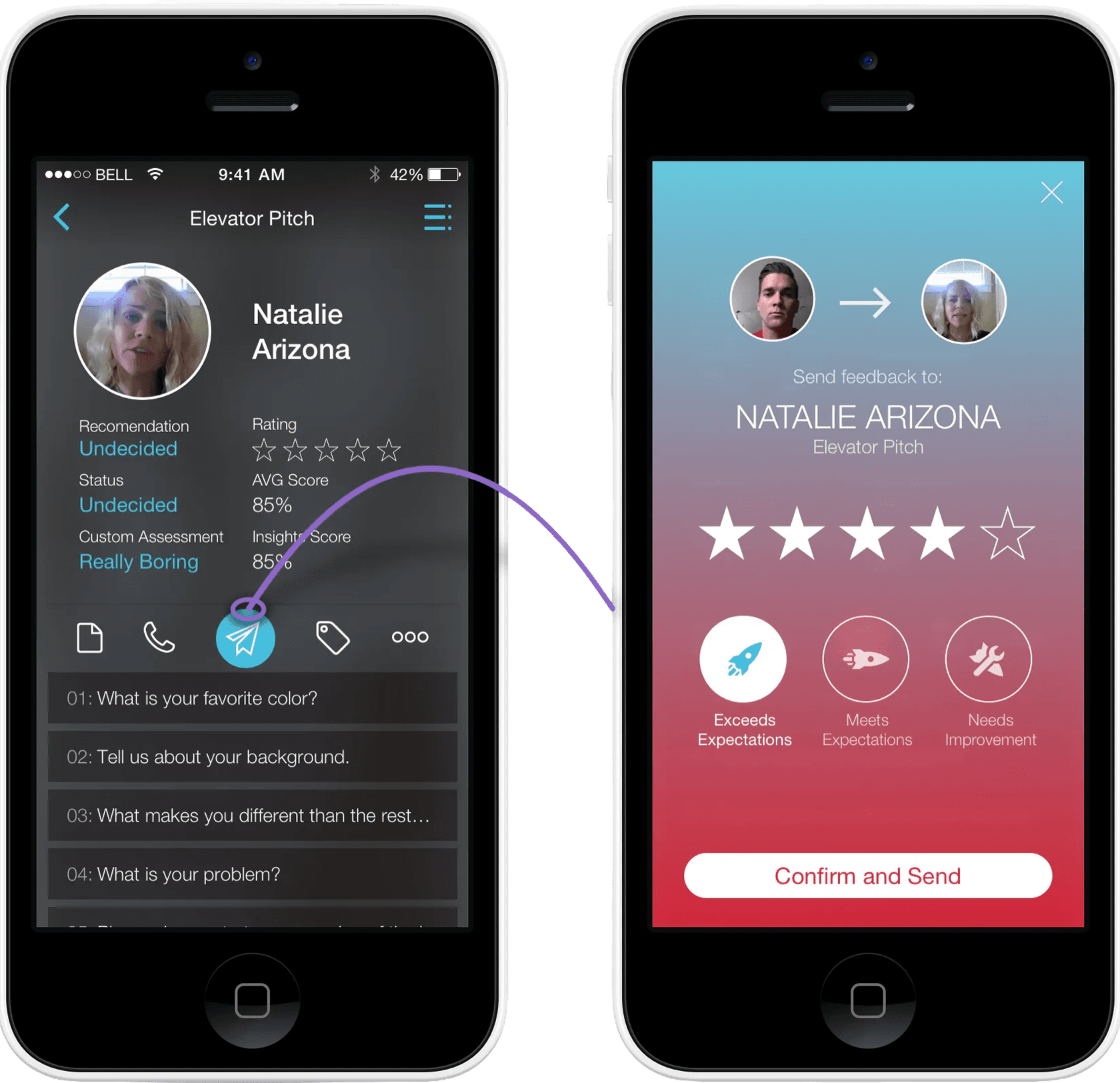
Send your thoughts to your representatives or team members. This is the primary action for reviewers while in this interface.
Taking criticism
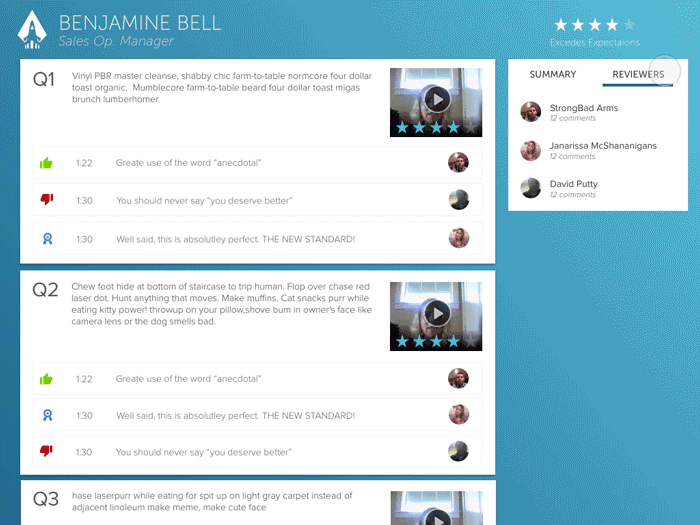
This is where the truth may hurt. A sales rep or employee views all the feedback they received from their coaches. (Web)